
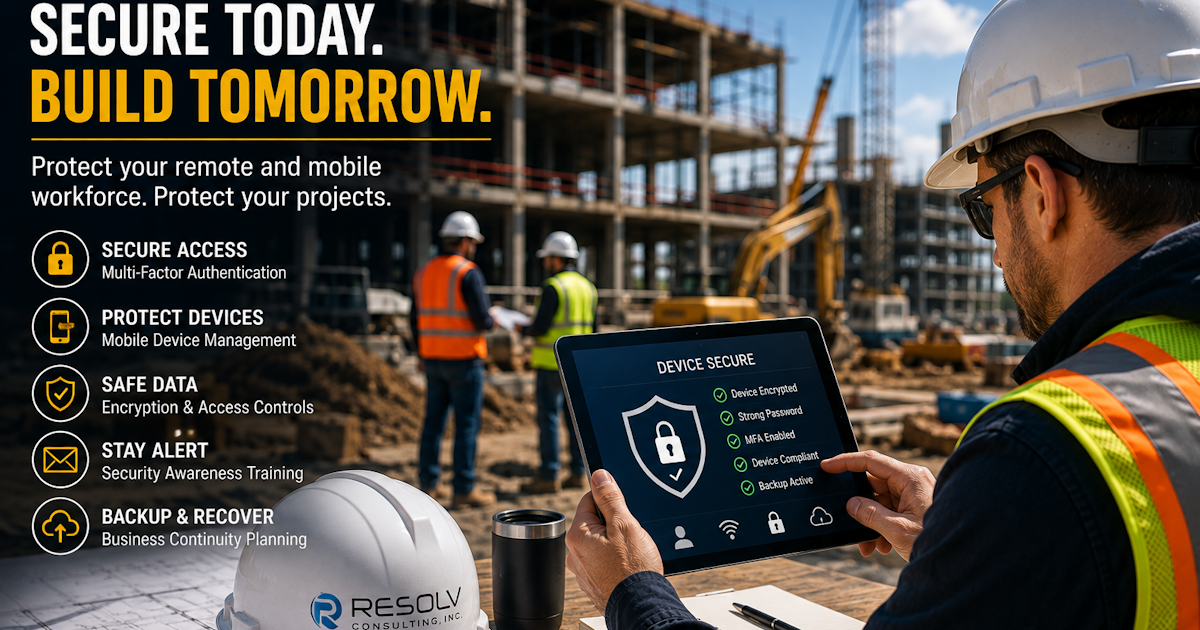
Construction doesn’t happen behind a desk.
Project managers, superintendents, estimators, executives, and other employees may spend their days moving between the office, jobsites, homes, client meetings, and other locations.
That flexibility is essential to keeping construction projects moving.
It also creates a unique technology challenge.
Employees need access to company email, project documents, construction management platforms, financial systems, and other business applications from a variety of locations and devices.
The question is no longer simply whether employees can access company information remotely.
It’s whether they can do it securely.
Why Mobile Technology Is Essential to Construction
Modern construction teams rely heavily on mobile technology.
A superintendent may need to review plans from a jobsite.
A project manager may need to respond to an email from a vehicle or client location.
An executive may need to approve a financial request while away from the office.
A field employee may need to access a project management application from a tablet.
Mobile access improves productivity and communication.
But every device accessing company information also needs to be properly secured.
The Risks of Unsecured Devices
Lost or stolen devices can create serious problems when they contain access to company information.
A compromised laptop, smartphone, or tablet could potentially provide access to:
- Company email
- Project documents
- Cloud applications
- Financial information
- Customer information
- Vendor communications
- Construction management platforms
Even when the device itself doesn’t contain sensitive files, saved passwords or active sessions could potentially provide unauthorized access to business accounts.
Multi-Factor Authentication Should Be Standard
Passwords alone aren’t enough to protect modern business accounts.
Multi-Factor Authentication adds another layer of protection by requiring users to verify their identity using an additional method.
For example, employees may need to approve a login through an authentication application or provide another verification factor.
If a password is compromised, MFA can make it significantly more difficult for an unauthorized person to access the account.
For construction companies with employees accessing systems from multiple locations, this additional layer of protection is especially important.
Keep Personal and Business Technology Separate
Employees sometimes use personal devices to access business information.
While this may seem convenient, it can create security and management challenges.
Companies should establish clear policies regarding:
- Which devices can access company systems
- How devices must be secured
- Which applications employees can use
- How company information is stored
- What happens when an employee leaves the company
A consistent approach helps reduce uncertainty and makes security easier to manage.
Mobile Device Management Can Help
Mobile Device Management (MDM) gives organizations greater control over company-owned smartphones, tablets, and other mobile devices.
Depending on the environment, MDM can help organizations:
- Enforce security policies
- Require device encryption
- Manage applications
- Control access
- Monitor device compliance
- Remotely lock devices
- Remove company data from lost devices
This can be particularly valuable for construction companies with employees working across multiple jobsites.
Protect Access to Construction Applications
Construction companies often rely on cloud-based applications for project management, document storage, communication, accounting, and collaboration.
These systems should be protected with appropriate user permissions.
Not every employee needs access to every project or every piece of company information.
Access should be based on what employees actually need to perform their jobs.
This approach can help limit exposure if an account or device is ever compromised.
Public Wi-Fi Creates Additional Risk
Employees may connect their devices to Wi-Fi at hotels, coffee shops, airports, client locations, or other public spaces.
While convenient, public networks can introduce additional security risks.
Construction employees who regularly work outside the office should have clear guidance regarding:
- Public Wi-Fi
- VPN usage
- Device security
- Software updates
- Password protection
- Suspicious network activity
Employees don’t need to be cybersecurity experts.
They do need the right tools, policies, and training.
Security Awareness Is Just as Important as Technology
Even the best security tools can’t eliminate every risk.
Employees remain an important part of the security equation.
Construction companies should train employees to recognize common threats such as:
- Phishing emails
- Fake Microsoft 365 login pages
- Suspicious text messages
- Fraudulent payment requests
- Unusual login notifications
- Social engineering attempts
Training employees to recognize suspicious activity can help prevent an attacker from gaining access in the first place.
What Happens When an Employee Loses a Device?
Every construction company should have a clear answer to this question.
If a company laptop, smartphone, or tablet disappears, employees should know exactly who to contact and what steps to take.
The faster a lost device is reported, the faster the company can take protective action.
Depending on the device and security environment, that could include:
- Locking the device
- Revoking access
- Changing credentials
- Removing company data
- Reviewing account activity
Having a documented procedure eliminates guesswork when time matters.
How Managed IT Can Help Construction Companies
Managing a mobile workforce becomes increasingly difficult as a construction company grows.
A Managed Service Provider can help companies establish consistent security across office and field environments.
This may include:
- Mobile device management
- Microsoft 365 security
- Multi-Factor Authentication
- Endpoint protection
- Security awareness training
- User access management
- Remote monitoring
- Help desk support
- Cybersecurity planning
The goal is to make secure technology easier for employees to use every day.
A Simple Mobile Security Checklist
Construction companies can start by asking these questions:
Are all business accounts protected with Multi-Factor Authentication?
Are company devices encrypted and password protected?
Can lost devices be remotely locked or wiped?
Do employees know how to report a lost device?
Are employees trained to identify phishing attempts?
Do employees have secure access to the applications they need?
Are former employees promptly removed from company systems?
If the answer to any of these questions is “no” or “I’m not sure,” there’s an opportunity to strengthen your security environment.
Final Thoughts
Construction companies need their employees to stay connected.
But staying connected shouldn’t mean sacrificing security.
With the right combination of mobile device management, Multi-Factor Authentication, employee training, access controls, and proactive IT support, construction companies can give field teams the technology they need while reducing unnecessary security risks.
At Resolv Consulting, we help construction companies throughout Southern California manage and secure the technology their teams depend on—from the office to the jobsite.
Your employees shouldn’t have to choose between productivity and security. With the right technology strategy, they can have both.
Frequently Asked Questions
Why is mobile device security important for construction companies?
Construction employees frequently access business systems from jobsites and other locations. Protecting mobile devices helps reduce the risk of unauthorized access to company information and applications.
What is Mobile Device Management?
Mobile Device Management is a technology that allows organizations to manage and secure company-owned mobile devices, including smartphones and tablets.
Should construction companies use Multi-Factor Authentication?
Yes. MFA provides an additional layer of protection beyond passwords and is an important component of a modern cybersecurity strategy.
What should an employee do if they lose a company phone or laptop?
Employees should immediately report the lost device to the appropriate IT or management contact. The company can then take steps such as locking the device, revoking access, or remotely removing company information when supported.
Can a Managed IT provider secure construction jobsite devices?
Yes. Managed IT providers can help construction companies secure mobile devices, manage user access, monitor systems, implement cybersecurity tools, and support employees working from jobsites and remote locations.
This blog is part of Resolv Consulting’s Construction & General Contracting Technology Series, helping construction companies throughout Southern California use technology securely and effectively across the office, jobsite, and remote workforce.