
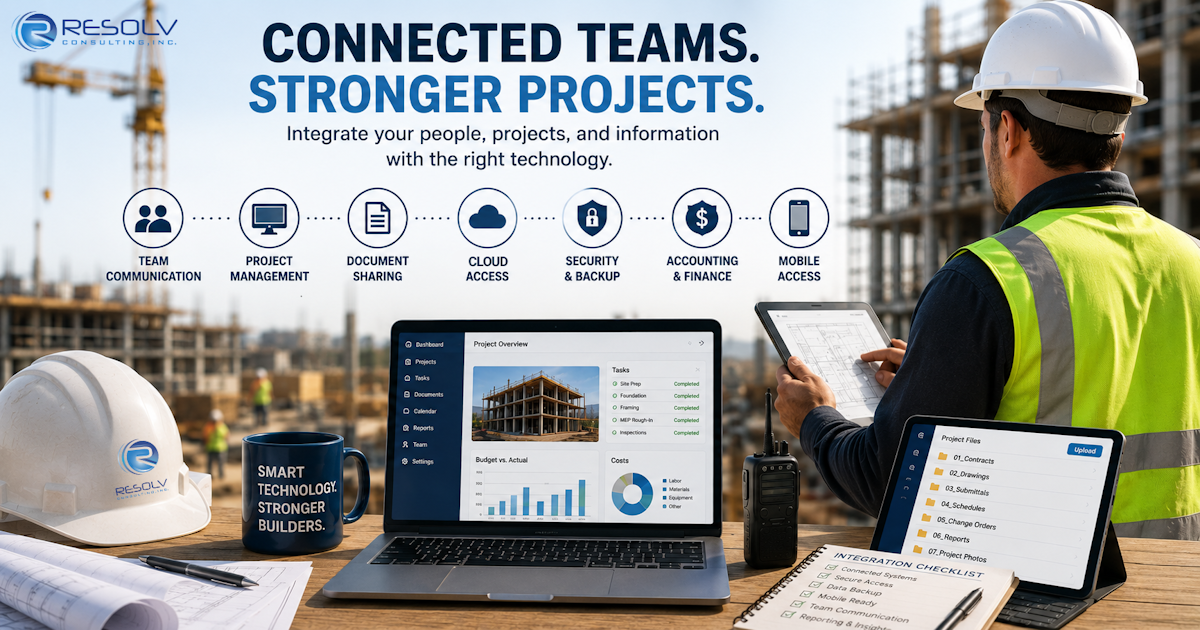
Construction projects involve a lot of moving parts.
Project managers need current information.
Superintendents need access to plans and project documents.
Accounting needs accurate information.
Executives need visibility.
Field employees need reliable communication.
Clients and subcontractors need timely updates.
And all of those people may be working from different locations.
Technology is supposed to bring those pieces together.
But when your systems aren’t properly connected, technology can actually create more work.
Employees may enter the same information into multiple systems.
Files may end up in different locations.
Someone may be working from an outdated document.
A project manager may not have the information accounting needs.
And your field team may have trouble connecting to the systems the office relies on every day.
Construction technology works best when the systems supporting your business work together.
What Is Construction Technology Integration?
Construction technology integration means connecting the different technology systems your company uses so information can move efficiently between the people and processes that depend on it.
That might include:
- Project management software
- Accounting systems
- Microsoft 365
- Cloud file storage
- Digital plans and documents
- Estimating software
- Scheduling systems
- Mobile devices
- Jobsite networks
- Communication platforms
- Backup systems
- Cybersecurity tools
The goal isn’t necessarily to put everything into one platform.
The goal is to make sure the technology you already depend on works together as effectively as possible.
Why Technology Integration Matters to General Contractors
A construction company can have excellent software and still have a poor technology environment.
Why?
Because individual systems don’t operate in isolation.
Consider a typical project.
The project team creates and updates documents.
The field team needs access to those documents.
Accounting needs project and financial information.
Management needs reporting.
Clients may need updates.
Subcontractors may need specific information.
If those systems and teams aren’t properly connected, information can become fragmented.
That creates opportunities for:
- Duplicate work
- Outdated documents
- Communication problems
- Data-entry mistakes
- Lost information
- Delayed decisions
- Security gaps
Technology should reduce those problems—not create them.
- Start With Your Construction Management Software
Your project management platform may be one of the most important systems your company uses.
It may contain information related to:
- Projects
- Tasks
- Documents
- Communication
- Scheduling
- Change orders
- RFIs
- Project reporting
But your construction management platform doesn’t operate independently.
Your employees may also rely on accounting, email, cloud storage, and other applications.
That’s why your IT strategy should consider how your project management software fits into the larger technology environment.
- Connect Project Management With Accounting
This is an area where technology disconnects can become particularly frustrating.
Project teams and accounting teams often need access to overlapping information—but they may approach it from very different perspectives.
Project teams are focused on getting the work completed.
Accounting is focused on financial accuracy.
Management needs both.
When systems don’t communicate properly, employees may spend unnecessary time moving information from one system to another.
That creates additional work and opportunities for errors.
The objective should be to create a technology environment where the right people can access the information they need without unnecessary manual processes.
- Give Field Teams Reliable Access to Information
Construction doesn’t happen exclusively in the office.
Field employees may need access to:
- Project documents
- Plans
- Schedules
- Photos
- Forms
- Project management platforms
- Communication tools
That makes reliable connectivity a critical part of construction technology.
A superintendent shouldn’t have to return to the office simply because a critical document isn’t accessible from the jobsite.
Likewise, field employees shouldn’t have to rely on insecure workarounds to access company information.
The technology needs to follow the work.
- Make Cloud Technology Work for Your Team
Cloud applications can make it much easier for construction teams to work across multiple locations.
Employees can access information from the office, jobsite, home, or other locations.
But moving applications to the cloud doesn’t automatically solve every technology problem.
Your company still needs to consider:
- Account security
- User permissions
- Multi-Factor Authentication
- Device security
- Data access
- Backup requirements
- Employee training
Resolv’s current Managed IT offering specifically includes cloud support alongside help desk services, proactive monitoring, patching, maintenance, cybersecurity, backup and recovery, and network support.
The important thing is to manage the cloud environment as part of the overall IT strategy.
- Don’t Forget About Mobile Devices
A construction company’s technology environment doesn’t stop at laptops.
Employees may depend on:
- Smartphones
- Tablets
- Laptops
- Mobile hotspots
- Other field devices
These devices can contain or provide access to company information.
That makes device management and security important.
Companies should have a clear understanding of:
Who has the device?
What can the device access?
How is it protected?
What happens if it is lost?
What happens when the employee leaves the company?
Mobile technology creates tremendous flexibility for construction teams.
It needs to be managed accordingly.
- Create One Reliable Source for Important Documents
Few things create confusion on a construction project faster than employees working from different versions of the same document.
A strong document-management strategy should help employees understand:
- Where files belong
- Who can access them
- Which version is current
- How documents are shared
- How information is backed up
- How former employees lose access
This isn’t just an IT issue.
It’s an operational issue.
When employees can quickly find the information they need, projects can move more efficiently.
- Build Security Into Your Technology Integration
Connecting systems can improve productivity.
It can also increase the number of systems and accounts that need to be protected.
That’s why security should be considered before connecting new applications.
Ask:
- What information will this system access?
- Who needs access?
- Is MFA available?
- How are accounts managed?
- Can access be restricted?
- Is the application supported?
- What happens if an employee leaves?
- How is the information backed up?
Resolv’s cybersecurity approach includes threat detection and response, tested immutable cloud backup, employee cybersecurity training, device encryption management, and broader security assessments.
The goal isn’t to make technology harder to use.
It’s to make sure convenience doesn’t create unnecessary exposure.
- Make Sure Your Internet and Network Can Keep Up
Technology integration depends on connectivity.
If your internet connection is unreliable, even the best cloud applications aren’t going to feel very useful.
Construction companies should consider connectivity at both:
The Main Office
Your office may support accounting, project management, file storage, communication, and other critical applications.
The Jobsite
Your field teams may need secure access to cloud applications, project information, email, and communication tools.
A network strategy should account for both environments.
- Know What Happens When One System Goes Down
This is where technology integration connects directly to business continuity.
Ask yourself:
If our project management system becomes unavailable, what happens?
If Microsoft 365 becomes inaccessible, what happens?
If our internet connection fails, what happens?
If an employee loses a laptop, what happens?
If our files are accidentally deleted, what happens?
If ransomware affects our environment, what happens?
The answers should be part of your IT and business continuity planning.
Backups and disaster recovery are not just about recovering files.
They’re about helping the business continue operating.
- Build a Technology Roadmap Instead of Buying Technology Randomly
Construction technology is constantly changing.
New applications appear.
Existing platforms add features.
Hardware gets older.
Security threats change.
Your company grows.
Projects become more complex.
That doesn’t mean you need to adopt every new technology that comes along.
In fact, you probably shouldn’t.
Instead, create a technology roadmap that answers:
What do we have?
What is working?
What isn’t working?
What needs to be replaced?
What needs to be secured?
What needs to be integrated?
What will we need as the company grows?
This is where an experienced IT partner can provide value beyond basic troubleshooting.
Signs Your Construction Technology Isn’t Properly Connected
You may have an integration problem if your employees regularly:
- Enter the same information into multiple systems
- Email files back and forth
- Maintain multiple versions of documents
- Use personal tools to get work done
- Can’t access information from the field
- Call IT because an application won’t communicate with another system
- Rely heavily on spreadsheets to connect unrelated systems
- Don’t know where important documents are stored
- Have difficulty accessing systems remotely
- Don’t know which system contains the most current information
None of these automatically means you need new software.
Sometimes the answer is better configuration.
Sometimes it’s better training.
Sometimes it’s better integration.
And sometimes the existing system simply isn’t the right fit anymore.
The first step is figuring out which problem you actually have.
Should You Replace Your Construction Software?
Not necessarily.
Replacing a major business application can be expensive, disruptive, and time-consuming.
Before replacing software, ask whether the underlying problem is actually the software.
For example:
Is the application difficult to use—or is it poorly configured?
Is the system missing a feature—or does your team need additional training?
Is the application slow—or is the network causing the problem?
Is information unavailable—or are employees storing it in the wrong place?
Is the software failing—or is another system creating the problem?
This is one reason an IT provider needs to understand your environment before recommending a solution.
Resolv’s own client feedback emphasizes that understanding the client’s existing network, systems, and processes is important so projects don’t have to start from square one every time.
Construction Technology Should Support the Way Your Company Works
There is no universal technology stack that works for every contractor.
A small specialty contractor may have very different requirements from a general contractor managing multiple projects.
Your technology should reflect:
- Company size
- Number of employees
- Number of jobsites
- Project complexity
- Existing applications
- Internal IT resources
- Security requirements
- Growth plans
The objective isn’t to build the most complicated technology environment.
It’s to build one that supports the way your business actually operates.
Construction Technology Integration in Southern California
Construction companies throughout Ontario, the Inland Empire, Orange County, Riverside County, and the greater Los Angeles area may have teams working across offices, jobsites, temporary project locations, and remote environments.
That makes reliable connectivity and access to business systems particularly important.
For a construction company operating across multiple locations, the technology strategy should account for the entire business—not just the office where the IT equipment happens to sit.
Resolv Consulting is based in Ontario, California, and currently serves businesses throughout Los Angeles, San Bernardino, Orange, and Riverside Counties.
How Resolv Consulting Can Help
Resolv Consulting takes a business-first approach to technology.
Our services include Managed IT, cybersecurity, backup and disaster recovery, Co-Managed IT, network support, and cloud support.
For construction companies, that can mean helping connect and manage the technology supporting both office and field operations.
More importantly, the goal is to understand how your business works before recommending what should change.
That’s consistent with the way Resolv’s clients describe the relationship: responsive support, familiarity with their systems and processes, practical recommendations, and a willingness to avoid unnecessary technology purchases.
You shouldn’t have to become an IT expert just to run your construction company.
Your technology partner should be able to explain what is happening, why it matters, and what your options are—in plain English.
Final Thoughts
Construction technology isn’t about having the newest software.
It’s about making sure the technology you already depend on actually works together.
Your project managers shouldn’t have to fight with technology.
Your field teams shouldn’t have to work around disconnected systems.
Your accounting team shouldn’t have to manually chase information.
And leadership shouldn’t have to guess whether the company’s technology is ready for its next stage of growth.
Start by looking at the entire environment.
Identify where information gets stuck.
Find the systems that aren’t communicating.
Secure the devices and accounts people depend on.
Make sure your office and jobsites can connect reliably.
Then build a technology plan around the actual needs of your business.
The best construction technology isn’t the technology your employees notice. It’s the technology that helps them get their work done without getting in the way.
Frequently Asked Questions
What is construction technology integration?
Construction technology integration is the process of connecting the different technology systems a construction company uses so information can move more effectively between project management, accounting, field operations, communication, and other business functions.
Why is technology integration important for construction companies?
Construction companies often have employees working across offices, jobsites, and remote locations. Proper technology integration can help reduce duplicate work, improve access to information, support communication, and make business systems easier to manage.
What technology systems should a construction company integrate?
Depending on the company’s needs, integration may involve construction project management software, accounting systems, Microsoft 365, cloud storage, document management, estimating, scheduling, mobile devices, communication platforms, and jobsite networking.
Does construction software need to be replaced if systems aren’t working together?
Not necessarily. Problems may be caused by configuration, training, network issues, permissions, or poor processes rather than the software itself. An assessment can help determine whether the software should be replaced or simply better managed.
How can construction companies connect office and jobsite technology?
Construction companies can use secure cloud applications, reliable internet and jobsite networking, mobile devices, remote access, appropriate access controls, and managed IT support to connect field and office teams.
How does cybersecurity fit into construction technology integration?
Cybersecurity should be considered whenever systems are connected. Companies should evaluate authentication, permissions, device security, application security, monitoring, backups, and employee access as part of the integration process.
How can an MSP help with construction technology?
An MSP can help manage networks, devices, cloud systems, cybersecurity, backups, user accounts, troubleshooting, and technology planning. An MSP can also help identify whether a technology problem is caused by software, hardware, networking, configuration, or another part of the environment.
Should construction companies use cloud-based technology?
Cloud technology can make it easier for employees to access information from offices, jobsites, and other locations. However, cloud systems still need proper configuration, security, account management, and backup planning.