
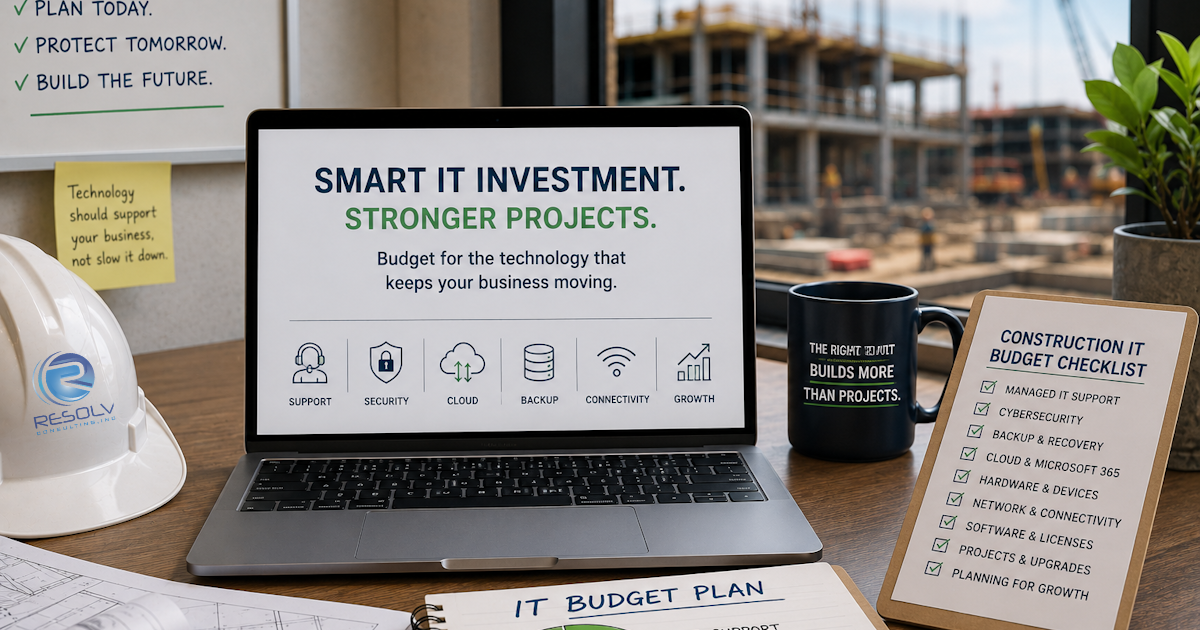
For a construction company, IT is no longer just an overhead expense.
Technology supports estimating, accounting, project management, communication, scheduling, document sharing, employee productivity, and field operations.
When those systems work properly, most people don’t think about them.
When they don’t, everyone notices.
So it’s reasonable for a construction company to ask:
How much should we actually budget for IT services?
The answer isn’t as simple as choosing a number per employee.
The right IT budget depends on your company’s size, technology environment, cybersecurity requirements, number of locations and jobsites, internal IT resources, and the level of support you need.
The goal isn’t to spend the most on IT. It’s to spend appropriately for the technology your business depends on.
What Determines the Cost of Construction IT Services?
Two construction companies with the same number of employees can have very different IT requirements.
For example, one company might operate primarily from one office with a small number of cloud applications.
Another might have multiple offices, dozens of active projects, employees working remotely, extensive cloud usage, specialized software, and numerous field devices.
Their IT requirements—and therefore their IT budgets—will be different.
Several factors typically influence the cost.
- Number of Employees and Devices
The size of your workforce is one of the simplest factors affecting IT costs.
But employees aren’t the only consideration.
Your IT environment may also include:
- Laptops
- Desktop computers
- Tablets
- Smartphones
- Servers
- Network equipment
- Printers
- Jobsite equipment
- Cloud applications
A contractor with 50 employees and 100 managed devices may require more support than a company with 50 employees and 50 devices.
That’s why simply comparing an MSP’s “price per user” doesn’t always tell the whole story.
- Number of Jobsites
Construction creates a unique IT challenge:
Your business may not operate from one location.
Employees can move between:
- Corporate offices
- Project offices
- Active jobsites
- Homes
- Client locations
- Temporary workspaces
The more locations your technology needs to support, the more important network connectivity, security, device management, and remote support become.
A construction company should make sure its IT budget accounts for the field—not just the headquarters.
- Cybersecurity Requirements
Cybersecurity shouldn’t be something you add to the budget after an incident.
It should be part of the budget from the beginning.
A cybersecurity strategy may include:
- Multi-Factor Authentication
- Endpoint protection
- Email security
- Security monitoring
- Employee training
- Device encryption
- Access controls
- Security assessments
- Backup protection
The right combination depends on your company’s environment and risk.
The important point is that cybersecurity should be considered a core business requirement, not an optional upgrade.
- Backup and Disaster Recovery
Backups are another area where construction companies shouldn’t simply ask whether they have a backup.
Ask what you’re actually protecting.
Your company may depend on:
- Project documents
- Contracts
- Accounting information
- Employee records
- Customer information
- Schedules
- Business applications
Your IT budget should account for protecting that information and having a realistic recovery plan.
A backup that cannot be restored when needed isn’t much of a business continuity strategy.
That’s why monitoring, retention, security, and test restores are important parts of the conversation.
- Cloud and Microsoft 365 Management
Many construction companies depend on cloud-based systems to keep office and field teams connected.
Your IT costs may therefore include management and security for services such as:
- Microsoft 365
- Cloud file storage
- Collaboration platforms
- Project management applications
- Accounting applications
- Remote access tools
The important question is not simply:
“How much does Microsoft 365 cost?”
It’s:
“Who is making sure the environment is configured, secure, maintained, and working properly?”
- Specialized Construction Software
Construction companies often depend on applications specific to their operations.
These may include software for:
- Project management
- Estimating
- Accounting
- Scheduling
- Document management
- Design
- Collaboration
Your IT provider doesn’t necessarily need to replace your construction software vendor.
However, your MSP should understand how your important applications fit into the overall technology environment.
When something stops working, you shouldn’t have to spend hours figuring out whether the problem is your computer, network, application, internet connection, or vendor.
A good IT partner helps coordinate those moving parts.
- Internal IT Staff
Some construction companies have no internal IT employees.
Others have an internal IT person or department.
That difference can significantly affect the appropriate IT model.
Fully Managed IT
An MSP acts as the company’s primary IT resource.
This can make sense for companies that don’t have the internal staff or resources to manage their environment themselves.
Co-Managed IT
An MSP works alongside an existing internal IT team.
This can provide additional expertise, cybersecurity resources, project support, help desk capacity, or specialized knowledge without replacing the internal team.
Resolv Consulting offers both Fully Managed IT and Co-Managed IT approaches.
The important thing is to build the budget around the resources your company actually needs.
What Should Be Included in a Construction IT Budget?
A practical IT budget should account for more than monthly support.
Consider the full technology lifecycle.
Managed IT Support
Help desk support, troubleshooting, monitoring, maintenance, and ongoing management.
Cybersecurity
Security tools, monitoring, training, authentication, and ongoing security management.
Backup and Recovery
Backup infrastructure, monitoring, retention, recovery planning, and testing.
Hardware
Computers, mobile devices, network equipment, servers, and replacement cycles.
Software
Business applications, Microsoft 365, licensing, and other required software.
Network and Internet
Office connectivity, jobsite connectivity, networking equipment, and related services.
Projects
Major upgrades, migrations, office moves, new locations, and other technology projects.
Strategic Planning
Technology assessments, lifecycle planning, budgeting, and future technology decisions.
Looking at all of these categories helps prevent the common mistake of focusing exclusively on the monthly MSP invoice.
Don’t Choose an MSP Based Only on Price
Price matters.
But the cheapest IT provider isn’t necessarily the least expensive option.
Consider what happens if an inexpensive provider:
- Doesn’t monitor your systems proactively
- Has slow response times
- Doesn’t properly manage backups
- Doesn’t provide cybersecurity training
- Doesn’t document your environment
- Doesn’t help plan technology upgrades
- Doesn’t take ownership when multiple vendors are involved
A lower monthly bill can look attractive until a preventable technology problem costs the company hours of productivity.
Resolv’s own IT-provider comparison checklist encourages businesses to evaluate factors such as live support, guaranteed response times, proactive 24/7 monitoring, backup monitoring and testing, documentation, cybersecurity training, and disaster recovery planning—not simply price.
What Does “Good IT Value” Look Like?
A construction company’s IT investment should ultimately support the business.
That means asking:
Are our employees able to work?
Are our systems reliable?
Is our information protected?
Can we recover if something goes wrong?
Can our technology support growth?
Do we know what we’re paying for?
Does our IT provider understand our business?
That last question matters.
Resolv’s client feedback repeatedly emphasizes the value of having an IT provider that understands the client’s existing environment and business processes rather than making the client start from scratch whenever a new project comes up.
That’s the type of relationship construction companies should look for.
How to Build a Construction IT Budget
Instead of starting with:
“What’s the cheapest MSP?”
Start with:
Step 1: Inventory Your Environment
Identify your users, devices, applications, locations, jobsites, networks, and critical systems.
Step 2: Identify Your Risks
Look at cybersecurity, backups, outdated hardware, unsupported software, access controls, and connectivity.
Step 3: Determine Your Support Requirements
Decide what your employees need from an IT provider and how quickly they need assistance.
Step 4: Separate Recurring and Project Costs
Your monthly managed services shouldn’t be confused with occasional projects such as major upgrades or office moves.
Step 5: Build a Technology Roadmap
Identify what needs to be replaced, upgraded, secured, or improved over the next 12–36 months.
Step 6: Compare Providers on More Than Price
Look at responsiveness, experience, security, proactive management, documentation, communication, and accountability.
A Simple Construction IT Budget Checklist
Before approving your IT budget, ask:
☐ Are all employees and devices accounted for?
☐ Are our critical systems protected?
☐ Is MFA enabled where appropriate?
☐ Are our backups monitored?
☐ Have our backups been tested?
☐ Do we have a recovery plan?
☐ Are our jobsites adequately connected?
☐ Are our employees receiving cybersecurity training?
☐ Are aging computers and network equipment accounted for?
☐ Do we have a plan for replacing outdated technology?
☐ Are our software licenses accounted for?
☐ Do we have money reserved for major technology projects?
☐ Do we know what our MSP actually manages?
☐ Do we know what isn’t included?
This checklist can give construction leadership a much clearer picture of what the IT budget actually needs to accomplish.
When Should a Construction Company Revisit Its IT Budget?
IT budgets shouldn’t be set once and forgotten.
Review yours when:
- Your employee count changes significantly
- You add a new office
- You begin managing more jobsites
- You adopt new construction software
- You move more systems to the cloud
- You experience recurring downtime
- You experience a security incident
- Your hardware reaches the end of its useful life
- Your internal IT resources change
- Your business is preparing for significant growth
A technology budget should support where the business is going—not just where it is today.
Construction IT Budgeting in the Inland Empire and Southern California
For construction companies in Ontario, the Inland Empire, Riverside County, San Bernardino County, Orange County, and the greater Los Angeles area, technology often has to support teams working across a broad geographic footprint.
That makes connectivity, remote support, cybersecurity, and reliable access to business systems especially important considerations when planning an IT budget.
A construction company doesn’t necessarily need the most expensive technology solution.
It needs a solution that fits the way its people actually work.
How Resolv Consulting Approaches IT
Resolv Consulting was founded with a focus on providing businesses with reliable, professional IT support and becoming a technology partner rather than simply another vendor.
That philosophy shows up repeatedly in client feedback.
Clients describe Resolv as responsive, knowledgeable, accessible, professional, and proactive. They also specifically highlight the team’s willingness to understand their businesses and recommend appropriate solutions rather than overselling technology.
For a construction company evaluating its IT budget, that’s an important distinction.
The right technology investment isn’t about buying everything. It’s about making informed decisions about what your business actually needs.
Final Thoughts
There isn’t one IT budget that works for every construction company.
The right amount depends on your employees, devices, jobsites, applications, cybersecurity requirements, internal IT resources, and business goals.
What matters most is knowing what your IT investment is supposed to accomplish.
Your technology should help your people work.
Your cybersecurity should protect the business.
Your backups should give you a path to recovery.
And your IT provider should understand the environment well enough to help you make smart decisions about what comes next.
Don’t build your IT budget around what technology costs. Build it around what your business needs technology to accomplish.
Frequently Asked Questions
How much does IT support cost for a construction company?
The cost varies based on factors such as employee count, number of devices, jobsites, applications, cybersecurity requirements, internal IT resources, and the level of support required. A technology assessment is a better starting point than applying one price to every construction company.
What should be included in a construction IT budget?
A construction IT budget should consider managed IT support, cybersecurity, backups and disaster recovery, hardware, software licensing, network connectivity, jobsite technology, technology projects, and long-term technology planning.
Is Managed IT worth it for a construction company?
Managed IT can provide construction companies with proactive monitoring, support, cybersecurity management, backup oversight, and technology expertise without requiring the company to handle every IT function internally.
Should a construction company hire an internal IT employee or an MSP?
It depends on the company’s size, technology requirements, internal expertise, and business goals. Some companies benefit from Fully Managed IT, while others can use Co-Managed IT to supplement an internal IT employee or team.
Does the number of jobsites affect IT costs?
Yes. Multiple jobsites can increase requirements for connectivity, networking, device management, remote support, security, and communication between field teams and the main office.
How often should a construction company review its technology budget?
At minimum, technology planning should be reviewed annually, but it should also be revisited when the company adds locations, expands its workforce, adopts new software, experiences significant security or downtime issues, or plans substantial growth.
Should cybersecurity be part of a construction company’s IT budget?
Yes. Cybersecurity should be treated as an ongoing component of the IT environment rather than an optional expense added after a security incident.
How can a construction company reduce unnecessary IT spending?
Start by understanding what you already have, what you actually need, and where the biggest risks are. A technology assessment can help identify redundant software, aging equipment, unnecessary services, and areas where investment would provide greater business value.